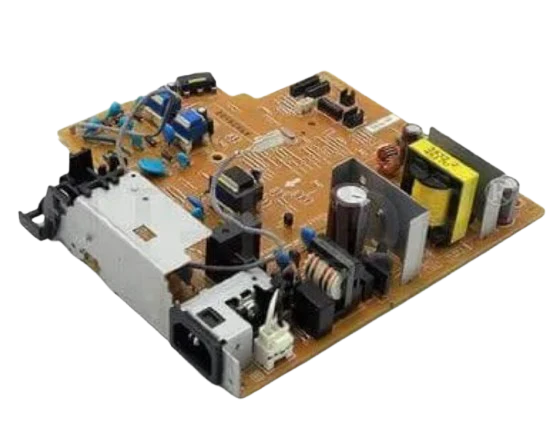
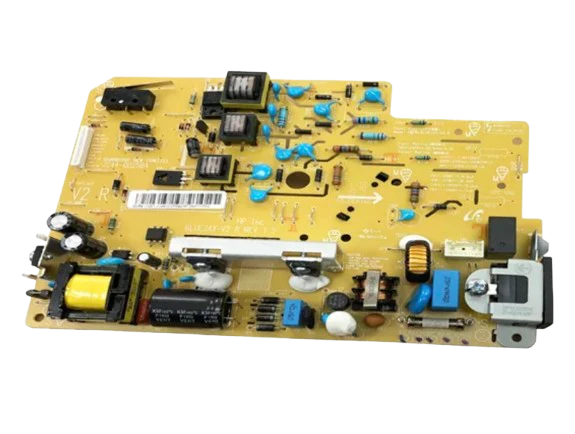
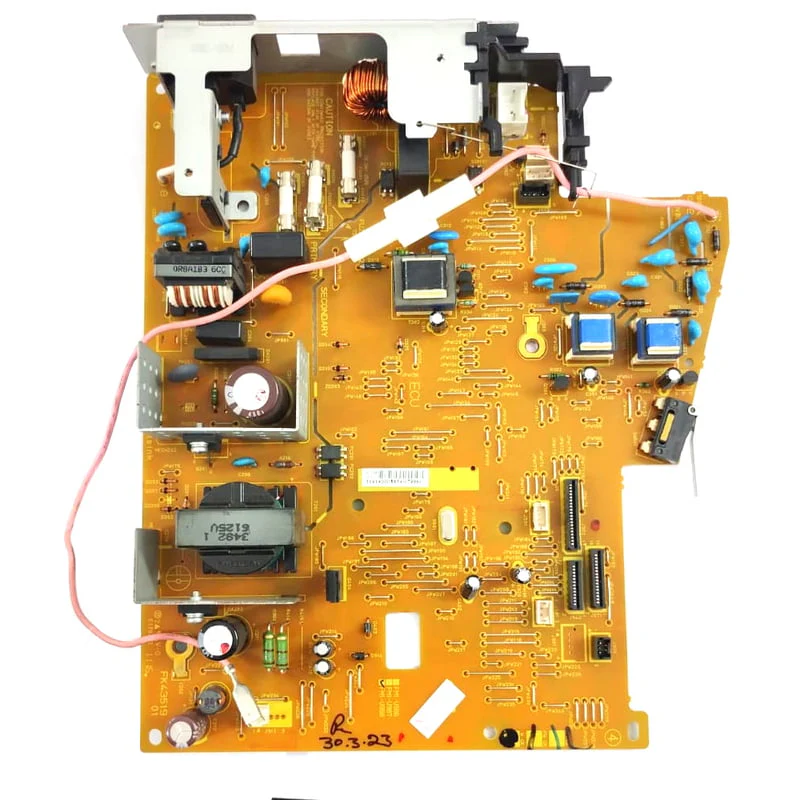
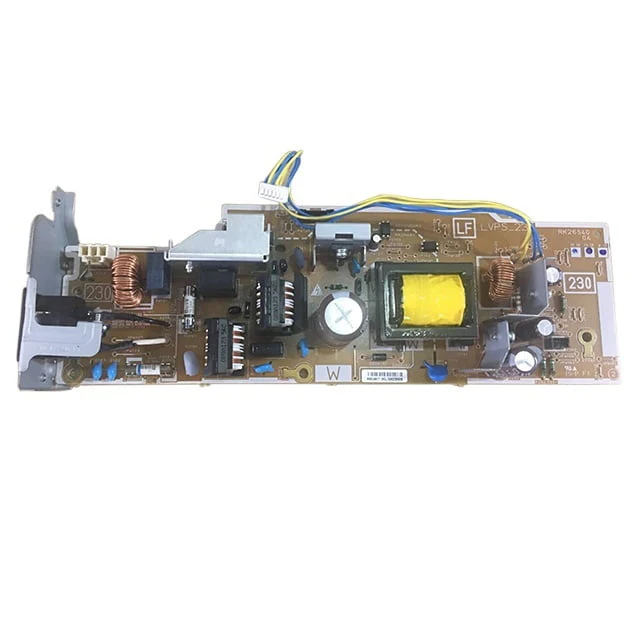
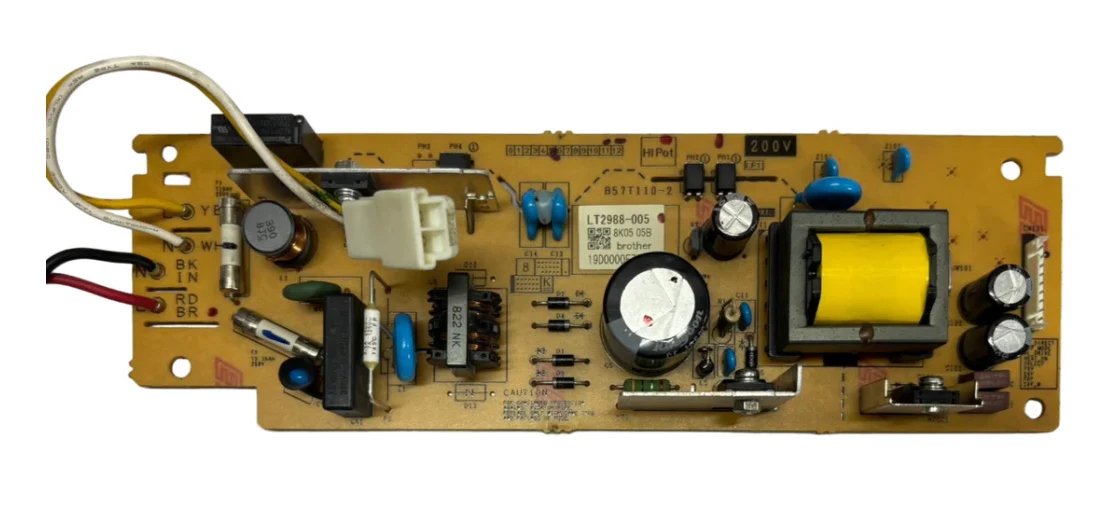
Power Supply Board for Brother DCP-L2541DW / DCP-L2520D Original Imported
Original Power Supply Board for Brother DCP-L2541DW / DCP-L2520D — Imported
Get your Brother DCP back to life with the PRM Original Power Supply Board. This is a genuine original board — not a compatible copy — sourced from original equipment and imported directly. One board fits both the DCP-L2541DW and DCP-L2520D.
Looking for a Brother DCP-L2541DW power supply or Brother DCP-L2520D power board? This is the correct power supply board for both printers.
When Do You Need a New Power Supply Board?
The power supply board converts mains AC power into the regulated DC voltages that run every component inside your printer — the formatter, fuser, motor, scanner, and WiFi module. When it fails, the entire printer is affected. Replace your power supply when you see:
- Printer completely dead — no lights, no display, no response when pressing the power button
- Printer turns on briefly then shuts off immediately
- Random shutdowns during printing — printer dies mid-job
- Fuser error or "Replace Fuser" message — the power supply feeds the fuser heater; a weak supply causes temperature errors
- Burning smell from the power supply area (not from the fuser)
- Printer takes unusually long to warm up or never reaches ready state
- WiFi module not powering on — printer drops off the wireless network (DCP-L2541DW)
- Display panel freezes, goes blank, or flickers
- Scanner lamp not turning on during scan/copy
- Tripping your office power switch when the printer turns on
If you've checked the power cable, tried a different wall socket, and the printer still won't power on or keeps shutting down — the power supply board is almost certainly the cause.
1. Fits Both DCP-L2541DW and DCP-L2520D: One power supply board works across both models. Whether you have the WiFi-enabled L2541DW or the USB/duplex-only L2520D, this is the right board.
2. Original, Not Compatible: This is a genuine original Brother power supply board — the same board that came inside your printer from the factory. Original boards offer exact voltage regulation and long-term reliability that compatible copies cannot match. For a critical component like the power supply that feeds every part of your printer, original is the right choice.
3. Fixes the "Dead Printer" Problem: The most common power supply failure symptom is a completely dead printer — no lights, no response. The DCP-L2541DW and DCP-L2520D are among Brother's most popular multifunction printers in India. Before you replace this reliable machine, a power supply board swap brings it back to life at a fraction of the cost.
4. Resolves Fuser Errors Without Replacing the Fuser: Many fuser errors on these printers are actually power supply problems — the board can't deliver enough power to heat the fuser properly. If you've already replaced the fuser and still get temperature errors, the power supply is the fix.
5. Restores WiFi and All MFP Functions: Both printers are multifunction — print, scan, and copy. The DCP-L2541DW adds WiFi and Ethernet connectivity. All functions are powered by this one board. A failing supply can cause seemingly unrelated problems across all functions. A new board restores stable power to everything.
6. Restores Duplex Printing: Both models support automatic two-sided printing which demands extra power during the duplex cycle. A failing power supply often shows symptoms during duplex jobs first — the printer shuts down or throws errors. A new board restores stable duplex operation.
7. Easy Installation: Disconnect the printer from mains power, remove the side/rear panels, unplug the connectors from the old power supply board, swap in the new one, reconnect all cables, and reassemble. 20-30 minutes for any printer technician. Basic screwdriver needed.
8. Tested Before Shipping: Every PRM power supply board is tested for correct voltage output before dispatch. Backed by our testing warranty.
Compatible Printers:
Brother: DCP-L2541DW, DCP-L2520D
Also known as: Brother DCP-L2541DW Power Supply, Brother DCP-L2520D Power Board, Brother L2541DW Power Supply Board, Brother L2520D SMPS Board, Brother L2541 Power Supply, Brother L2520 SMPS
Product Information
Product Information
Shipping & Returns
Shipping & Returns
Power Supply Board for Brother DCP-L2541DW / DCP-L2520D Original Imported
Power Supply Board for Brother DCP-L2541DW / DCP-L2520D Original Imported
Original Power Supply Board for Brother DCP-L2541DW / DCP-L2520D — Imported
Get your Brother DCP back to life with the PRM Original Power Supply Board. This is a genuine original board — not a compatible copy — sourced from original equipment and imported directly. One board fits both the DCP-L2541DW and DCP-L2520D.
Looking for a Brother DCP-L2541DW power supply or Brother DCP-L2520D power board? This is the correct power supply board for both printers.
When Do You Need a New Power Supply Board?
The power supply board converts mains AC power into the regulated DC voltages that run every component inside your printer — the formatter, fuser, motor, scanner, and WiFi module. When it fails, the entire printer is affected. Replace your power supply when you see:
- Printer completely dead — no lights, no display, no response when pressing the power button
- Printer turns on briefly then shuts off immediately
- Random shutdowns during printing — printer dies mid-job
- Fuser error or "Replace Fuser" message — the power supply feeds the fuser heater; a weak supply causes temperature errors
- Burning smell from the power supply area (not from the fuser)
- Printer takes unusually long to warm up or never reaches ready state
- WiFi module not powering on — printer drops off the wireless network (DCP-L2541DW)
- Display panel freezes, goes blank, or flickers
- Scanner lamp not turning on during scan/copy
- Tripping your office power switch when the printer turns on
If you've checked the power cable, tried a different wall socket, and the printer still won't power on or keeps shutting down — the power supply board is almost certainly the cause.
1. Fits Both DCP-L2541DW and DCP-L2520D: One power supply board works across both models. Whether you have the WiFi-enabled L2541DW or the USB/duplex-only L2520D, this is the right board.
2. Original, Not Compatible: This is a genuine original Brother power supply board — the same board that came inside your printer from the factory. Original boards offer exact voltage regulation and long-term reliability that compatible copies cannot match. For a critical component like the power supply that feeds every part of your printer, original is the right choice.
3. Fixes the "Dead Printer" Problem: The most common power supply failure symptom is a completely dead printer — no lights, no response. The DCP-L2541DW and DCP-L2520D are among Brother's most popular multifunction printers in India. Before you replace this reliable machine, a power supply board swap brings it back to life at a fraction of the cost.
4. Resolves Fuser Errors Without Replacing the Fuser: Many fuser errors on these printers are actually power supply problems — the board can't deliver enough power to heat the fuser properly. If you've already replaced the fuser and still get temperature errors, the power supply is the fix.
5. Restores WiFi and All MFP Functions: Both printers are multifunction — print, scan, and copy. The DCP-L2541DW adds WiFi and Ethernet connectivity. All functions are powered by this one board. A failing supply can cause seemingly unrelated problems across all functions. A new board restores stable power to everything.
6. Restores Duplex Printing: Both models support automatic two-sided printing which demands extra power during the duplex cycle. A failing power supply often shows symptoms during duplex jobs first — the printer shuts down or throws errors. A new board restores stable duplex operation.
7. Easy Installation: Disconnect the printer from mains power, remove the side/rear panels, unplug the connectors from the old power supply board, swap in the new one, reconnect all cables, and reassemble. 20-30 minutes for any printer technician. Basic screwdriver needed.
8. Tested Before Shipping: Every PRM power supply board is tested for correct voltage output before dispatch. Backed by our testing warranty.
Compatible Printers:
Brother: DCP-L2541DW, DCP-L2520D
Also known as: Brother DCP-L2541DW Power Supply, Brother DCP-L2520D Power Board, Brother L2541DW Power Supply Board, Brother L2520D SMPS Board, Brother L2541 Power Supply, Brother L2520 SMPS
Original: $9.42
-65%$9.42
$3.30Product Information
Product Information
Shipping & Returns
Shipping & Returns
Description
Original Power Supply Board for Brother DCP-L2541DW / DCP-L2520D — Imported
Get your Brother DCP back to life with the PRM Original Power Supply Board. This is a genuine original board — not a compatible copy — sourced from original equipment and imported directly. One board fits both the DCP-L2541DW and DCP-L2520D.
Looking for a Brother DCP-L2541DW power supply or Brother DCP-L2520D power board? This is the correct power supply board for both printers.
When Do You Need a New Power Supply Board?
The power supply board converts mains AC power into the regulated DC voltages that run every component inside your printer — the formatter, fuser, motor, scanner, and WiFi module. When it fails, the entire printer is affected. Replace your power supply when you see:
- Printer completely dead — no lights, no display, no response when pressing the power button
- Printer turns on briefly then shuts off immediately
- Random shutdowns during printing — printer dies mid-job
- Fuser error or "Replace Fuser" message — the power supply feeds the fuser heater; a weak supply causes temperature errors
- Burning smell from the power supply area (not from the fuser)
- Printer takes unusually long to warm up or never reaches ready state
- WiFi module not powering on — printer drops off the wireless network (DCP-L2541DW)
- Display panel freezes, goes blank, or flickers
- Scanner lamp not turning on during scan/copy
- Tripping your office power switch when the printer turns on
If you've checked the power cable, tried a different wall socket, and the printer still won't power on or keeps shutting down — the power supply board is almost certainly the cause.
1. Fits Both DCP-L2541DW and DCP-L2520D: One power supply board works across both models. Whether you have the WiFi-enabled L2541DW or the USB/duplex-only L2520D, this is the right board.
2. Original, Not Compatible: This is a genuine original Brother power supply board — the same board that came inside your printer from the factory. Original boards offer exact voltage regulation and long-term reliability that compatible copies cannot match. For a critical component like the power supply that feeds every part of your printer, original is the right choice.
3. Fixes the "Dead Printer" Problem: The most common power supply failure symptom is a completely dead printer — no lights, no response. The DCP-L2541DW and DCP-L2520D are among Brother's most popular multifunction printers in India. Before you replace this reliable machine, a power supply board swap brings it back to life at a fraction of the cost.
4. Resolves Fuser Errors Without Replacing the Fuser: Many fuser errors on these printers are actually power supply problems — the board can't deliver enough power to heat the fuser properly. If you've already replaced the fuser and still get temperature errors, the power supply is the fix.
5. Restores WiFi and All MFP Functions: Both printers are multifunction — print, scan, and copy. The DCP-L2541DW adds WiFi and Ethernet connectivity. All functions are powered by this one board. A failing supply can cause seemingly unrelated problems across all functions. A new board restores stable power to everything.
6. Restores Duplex Printing: Both models support automatic two-sided printing which demands extra power during the duplex cycle. A failing power supply often shows symptoms during duplex jobs first — the printer shuts down or throws errors. A new board restores stable duplex operation.
7. Easy Installation: Disconnect the printer from mains power, remove the side/rear panels, unplug the connectors from the old power supply board, swap in the new one, reconnect all cables, and reassemble. 20-30 minutes for any printer technician. Basic screwdriver needed.
8. Tested Before Shipping: Every PRM power supply board is tested for correct voltage output before dispatch. Backed by our testing warranty.
Compatible Printers:
Brother: DCP-L2541DW, DCP-L2520D
Also known as: Brother DCP-L2541DW Power Supply, Brother DCP-L2520D Power Board, Brother L2541DW Power Supply Board, Brother L2520D SMPS Board, Brother L2541 Power Supply, Brother L2520 SMPS